
個人庫存
My Personal Inventory
Custom Storage Bin Configuration
The system supports hierarchical structures and tree-based management to maximize flexibility in practical applications. For example, storage locations can be organized by "Area > Cabinet > Level", followed by a "Slot Number". The slot number is assigned when specifying the storage location of a component in the inventory. This section is only used to configure areas, cabinets, and levels. You can customize the structure according to your actual storage needs.
Assign an alphanumeric code (one or more letters or numbers) to each structural item. Codes must be unique within the same level. When displaying component storage locations, the location code is shown as the primary identifier, while the name serves as a note. Hover over the code to display the name. For example, Area A can be named "Passive Components".
The structure can also be rearranged. When physical storage locations are reorganized, you can simply move the corresponding items in the storage hierarchy without having to reassign the storage location of every individual component.
For example, Area A contains three cabinets: Q, W, and E. A component may be stored at AW-03, where 03 is a custom slot number.
For example, Area B contains three cabinets: X1, X2, and X3, each with two levels: L1 and L2. A component may be stored at BX1L2-005, where 005 is a custom slot number.
For example, if Cabinet H is originally located in Area B and is later moved to Area A, simply move the H item from the Area B directory to the Area A directory. You can also modify the H code if necessary. Only changes to slot numbers require updating the corresponding inventory records.You must log in as a member before defining your personal storage locations. Once the storage locations have been configured, you can start recording your component inventory.
Inventory Data
The primary purpose of personal inventory in the SPEC Electronic Database is to provide quick access to electronic component inventory information. This allows you to check whether a component is currently available, determine whether you need to purchase more, and avoid duplicate purchases caused by forgetting existing stock. It also helps you locate stored components without having to search through boxes and cabinets.
Currently, inventory records in the database are identified by "Part Number" + "Package". Regardless of the manufacturer, components with the same part number and package are treated as the same inventory item. Including manufacturer information would cause the volume of inventory records to grow exponentially, making it impractical to provide this service free of charge.
When the inventory quantity is set to zero, the storage location information is retained. When the storage location is cleared, the inventory record is deleted.
Codes QR et lanceur d’applications
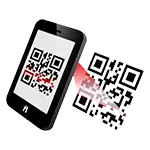
Dans l’onglet du service correspondant, scannez le code QR pour ouvrir la page sur un appareil mobile ou cliquez sur le bouton du lien pour l’ouvrir sur cet appareil afin d’accéder à la page Web ou d’effectuer des opérations liées à l’application.
Visitors
- Visitors : 949,456
- Plateforme automatique
Cette page Web bascule automatiquement vers la version adaptée à votre appareil pour offrir une meilleure expérience de navigation. - Suggestions et signalement d'erreurs
Parlez-nous de vos idées, des problèmes et des erreurs que vous avez rencontrés. - Comodo Secure
La transmission des données sensibles de ce site utilise un chiffrement SSL-2048 certifié internationalement. - Droits d’auteur
© 2009 YamPiz Digital Inc. & Jaby Group. Tous droits réservés. - Version du système
V2.2.834
11 Nov 2026 (GMT+8)